← Back to UNIData

One egocentric recording,eight composable modalities.

Eight modalities, one timeline: one episode, timestamp, coordinate system.

Modality by Modality: What Makes Each One Different

Video — First-Person RGB

Egocentric RGB

The raw observation and master timeline of every episode — all other modalities align to it.

Typical Uses
Video understanding · perception trainingAction segmentation · quality review
Core Fields
RGB video, frame rate, resolution, per-frame or recoverable timestamps
Camera intrinsics, device and encoding info
Optional: depth, stereo/multi-camera, audio, IMU, eye tracking
Recommended flags: occlusion, blur, dropped frames, overexposure, hands out of frame, privacy ranges
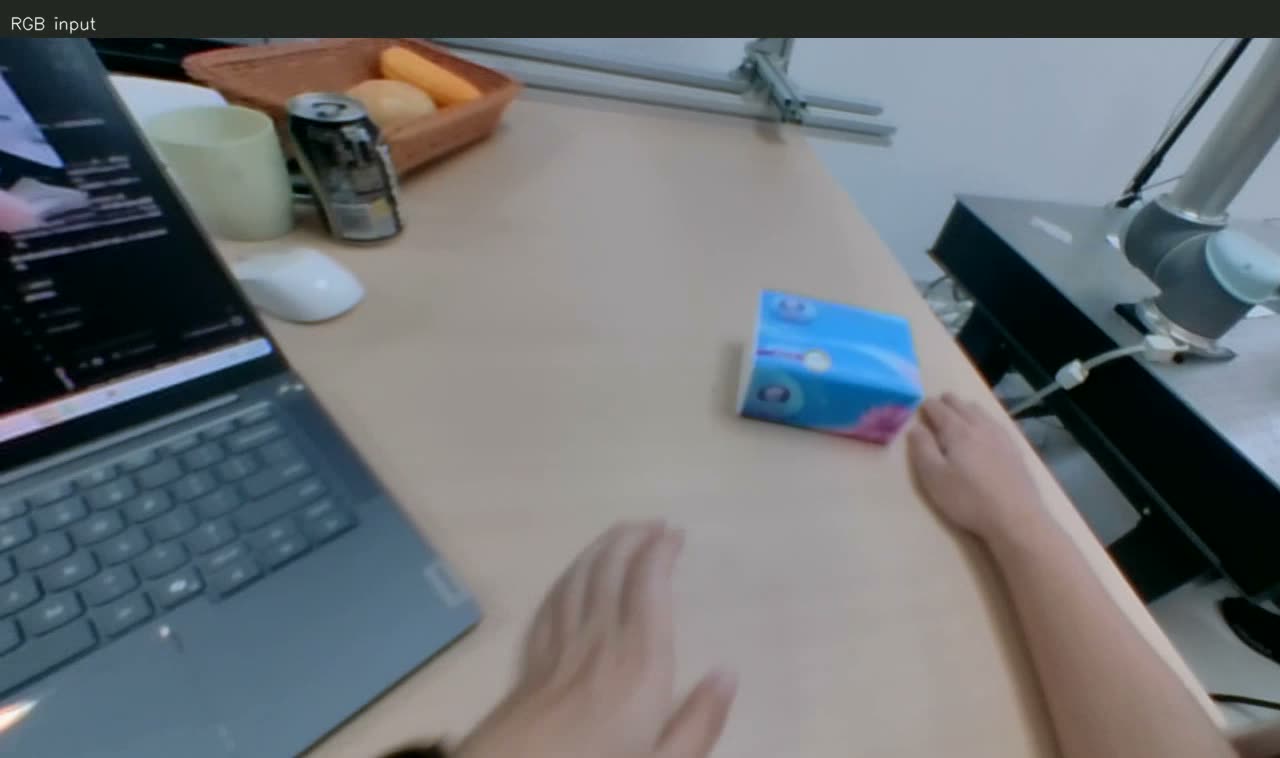
Video — First-Person RGB visualization: RGB Input — raw first-person observation, the unified timeline every modality aligns to
FIG 01 — RGB Input — raw first-person observation, the unified timeline every modality aligns to

Depth Data

Depth

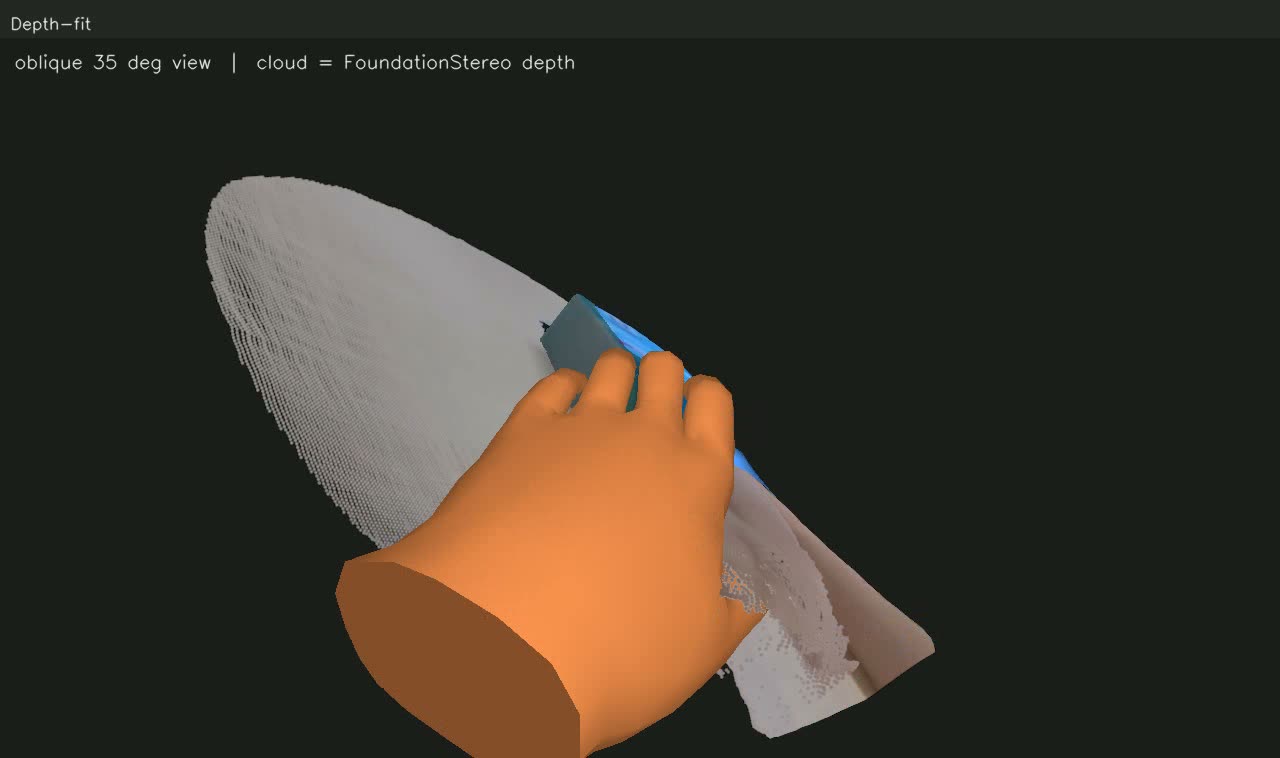
Per-pixel distance for every frame, recovering the 3D structure of the scene and the spatial relation between hands and objects.

Typical Uses
3D perception · spatial reasoningOcclusion recoveryHand-object distance & scene reconstruction
Core Fields
Depth maps, depth units & scale, resolution, per-frame timestamps
Depth intrinsics, extrinsics or alignment with the RGB camera
Optional: validity masks, confidence, point clouds, normals, depth completion
Recommended flags: invalid depth, reflective/transparent regions, flying pixels, holes
Depth Data visualization: Depth-fit — hand model fitted to depth point clouds (FoundationStereo)
FIG 02 — Depth-fit — hand model fitted to depth point clouds (FoundationStereo)

MANO Hand Reconstruction

Hand Pose (MANO)

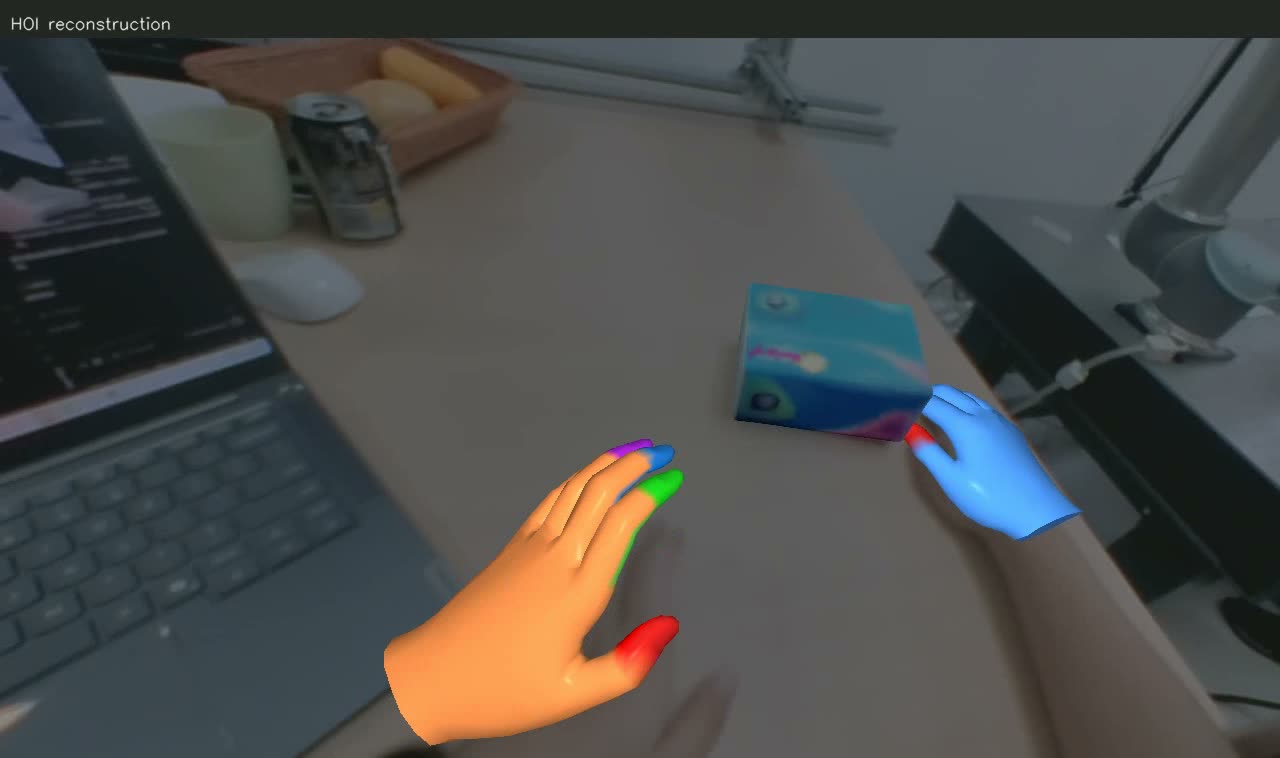
A parametric 3D hand model: compact shape and pose parameters generate hand meshes and joints, recorded separately for the left and right hands.

Typical Uses
3D gestures · grasp pose learningHand trajectoriesFoundation for human-to-robot mapping
Core Fields
Identity shape beta: stable within one operator session
Per-frame pose theta(t): finger joint rotations
Global pose: wrist rotation & translation (camera / world frame must be specified)
Quality fields: reprojection error, confidence, source flag (mocap / fitted / inferred / interpolated)
MANO Hand Reconstruction visualization: HOI reconstruction — dual-hand mesh reconstruction with color-coded fingertip keypoints
FIG 03 — HOI reconstruction — dual-hand mesh reconstruction with color-coded fingertip keypoints

Object Trajectory

Object Trajectory

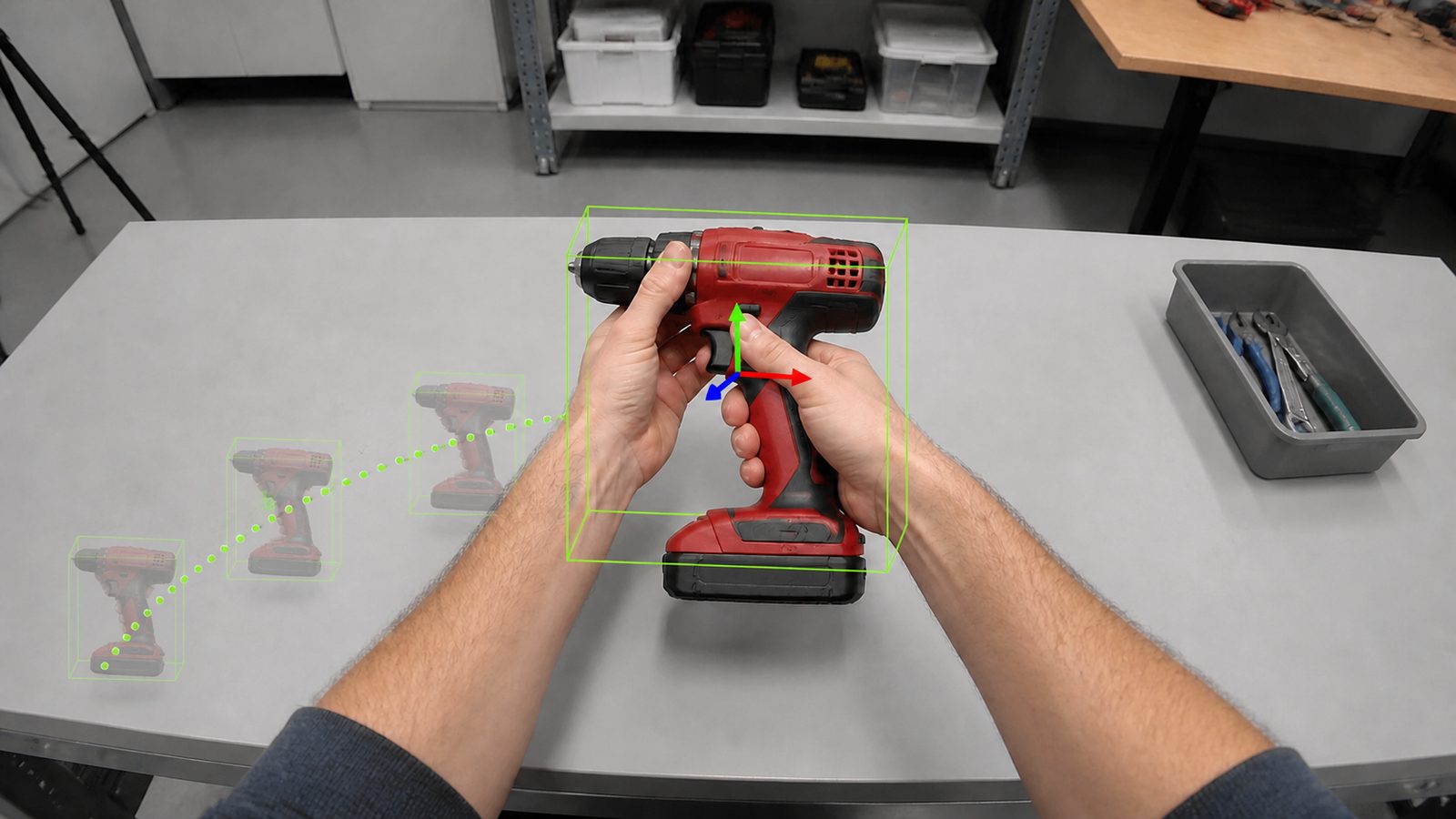
The spatial state of manipulated objects over time; rigid bodies use 6DoF, articulated objects add joint states.

Typical Uses
Object tracking · state changeOutcome verificationPolicy supervision
Core Fields
Object instance ID, category, asset ID and geometric scale
T_world_object(t) or T_camera_object(t)
Linear & angular velocity, visibility, tracking confidence
Key events (pick up / rotate / open-close…) and outcomes (success / failure / partial)
Object Trajectory visualization: Green box = live target tracking · RGB axes = 6DoF pose · ghosts & dotted lines = history
FIG 04 — Green box = live target tracking · RGB axes = 6DoF pose · ghosts & dotted lines = history

Head Camera Trajectory

Camera Trajectory

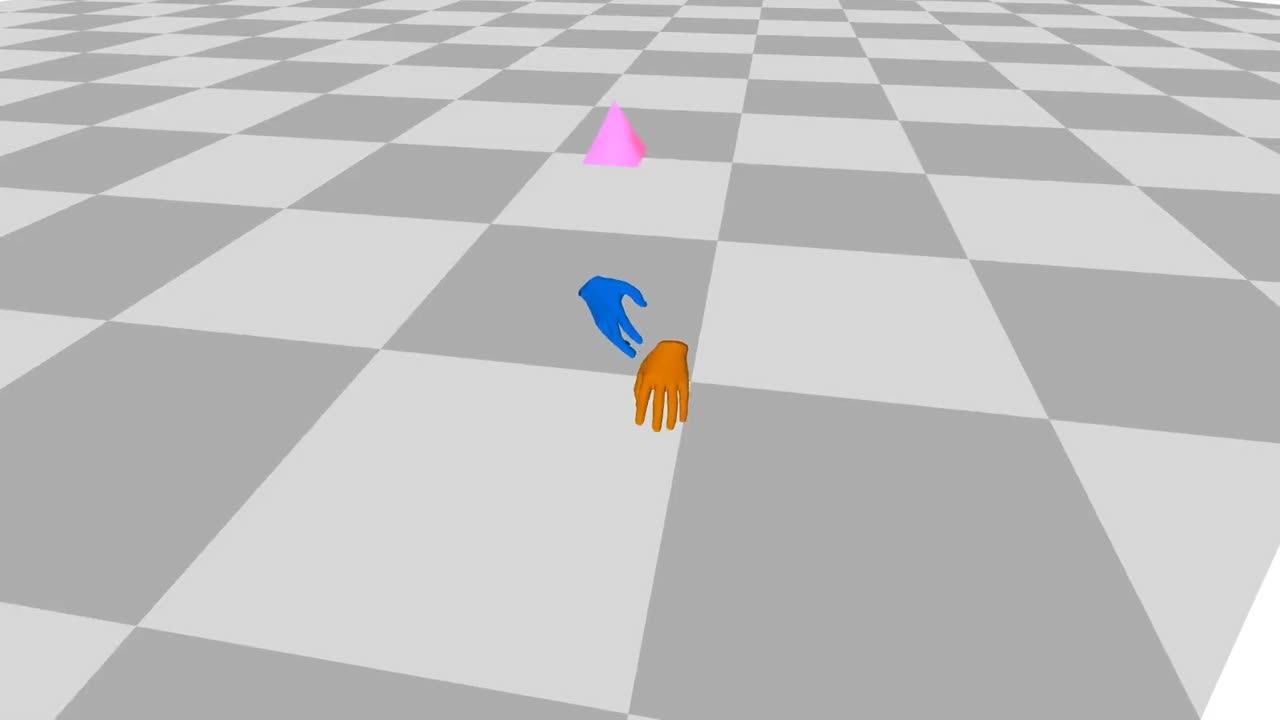
The SE(3) pose of the head-mounted camera in world coordinates (VIO/SLAM/mocap/multi-sensor fusion) — the key modality for 3D spatio-temporal alignment.

Typical Uses
Head-motion removalWorld-frame alignmentScene reconstruction
Core Fields
Position, quaternion / rotation matrix, per-frame timestamps
world / device / camera frame definitions and extrinsics
Tracking state, relocalization events, drift, confidence
Handedness, units and quaternion order written into the schema
Head Camera Trajectory visualization: Camera trajectory replay in a checkerboard-calibrated scene (VIO/SLAM output)
FIG 05 — Camera trajectory replay in a checkerboard-calibrated scene (VIO/SLAM output)

Hand-Object Contact

Contact State

When contact happens, which finger, where, and how long — granularity tiered by cost and task.

Typical Uses
Grasp detection · contact predictionPhysical consistencyReward shaping
Core Fields
Event level: approach / touch / grasp / manipulate / release
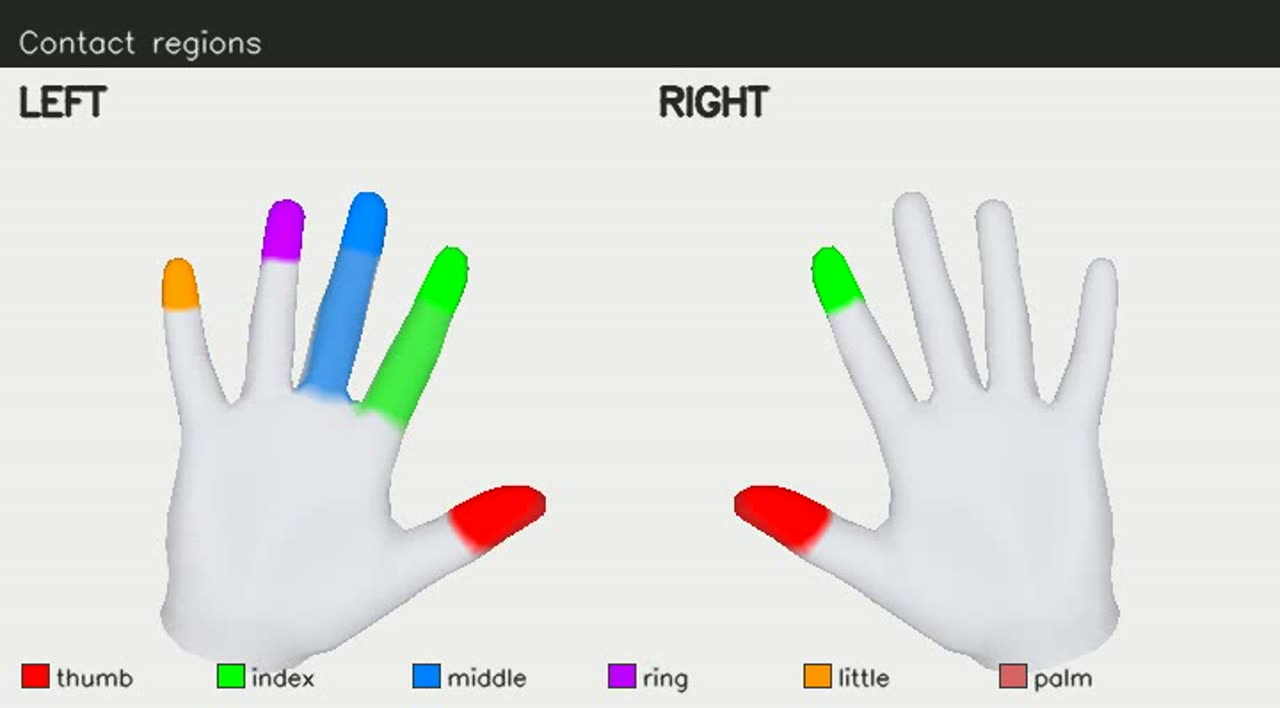
Finger level: five fingers + palm, binary or probability
Point level: hand mesh vertices + object surface points + normals & distances
Physical level (force / torque / pressure) only with sensors
Hand-Object Contact visualization: Contact regions — fingertip-level contact color-coding (left hand fully engaged / right pinching)
FIG 06 — Contact regions — fingertip-level contact color-coding (left hand fully engaged / right pinching)

Language Instructions

Language Instruction

Turning continuous manipulation into a semantic layer for retrieval, training and planning: a three-level task — step — atomic-action structure.

Typical Uses
Video-language · VLATask planningRetrieval & evaluation
Core Fields
Task level: e.g. "put the cup on the tray"
Step level: approach / grasp / lift / move / place / release
Atomic actions: verb, object, hand, contact site, state change
Time alignment: every annotation carries start/end timestamps
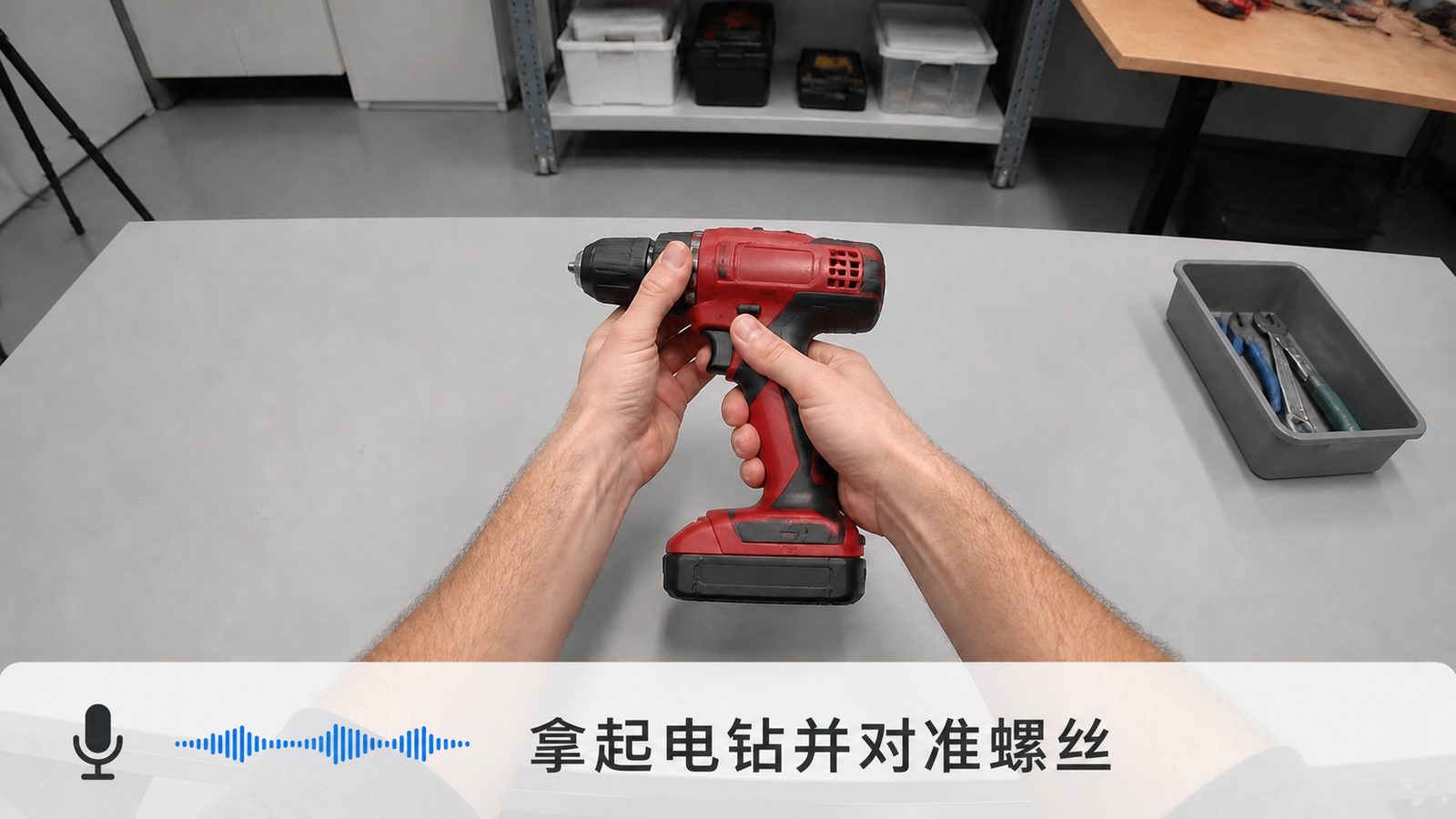
Language Instructions visualization: Voice command "pick up the drill and align it with the screw" aligned to the first-person view
FIG 07 — Voice command "pick up the drill and align it with the screw" aligned to the first-person view

Hand Retargeting

Hand Retargeting

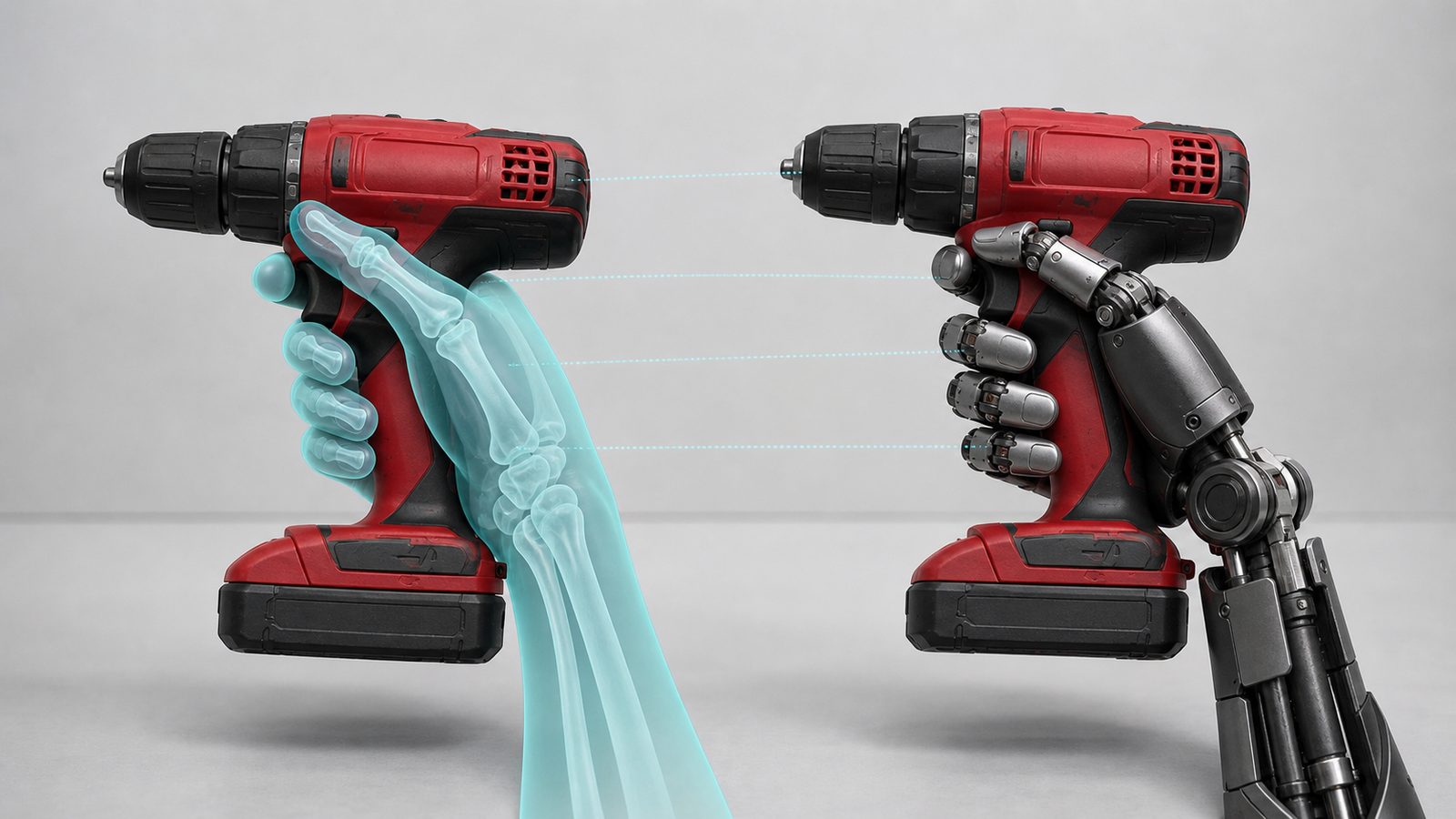
Mapping human-hand motion into the joint and wrist control space of a target robot hand — a constrained optimization problem, not a copy of joint angles.

Typical Uses
Teleoperation · demonstration transferBehavior cloning · policy initSim & real-robot data generation
Core Fields
Target hand model & version, URDF/MJCF, joint limits and self-collision model
q_robot(t) + wrist targets + contact targets
Optimization residuals, collision/penetration metrics, feasible-frame ratio
Simulation replay with success labels; generated and QC-d separately per hand model
Hand Retargeting visualization: Left: human-hand kinematics (X-ray style) · Right: target dexterous hand · dashed lines = keypoint correspondence
FIG 08 — Left: human-hand kinematics (X-ray style) · Right: target dexterous hand · dashed lines = keypoint correspondence

How the Data Is Made: A Five-Stage Loop

Ego Hardware Capture

Self-developed head-mounted devices record real operations from a first-person view, preserving the foundation for multimodal processing at capture time: raw video streams, frame timestamps, camera parameters, device state and task configuration; 3D projects fix depth, IMU and calibration configs before capture.

Ingestion · Cleaning · Segmentation

Unified ingestion and asset registration (batch / device / task / scene / version); base-quality cleaning removes blurred, overexposed, dropped-frame and hands-out-of-frame segments; privacy compliance processing; long streams are split into semantically bounded episode / step training units.

Data Pipeline Processing

Raw observations are processed into structured multimodal supervision: video-depth alignment, camera trajectory, MANO hands, object 6DoF, contact states, language alignment, dexterous retargeting — every output keyed to a unified episode / timestamp / coordinate system and schema version.

In-House Evaluation Filter

Four-level filtering: basic usability → intra-modality quality (reprojection error / trajectory continuity / tracking rate…) → cross-modality consistency → task-level trainability; data that fails goes to rework, removal or recapture and never counts toward delivery.

Distilled into Data Assets

Data that passes evaluation is packaged as standardized assets: raw data + training-friendly versions + multimodal annotations + schema/versions + quality reports. Deliverable, traceable, reusable, acceptance-ready — delivery volume is counted in evaluated assets, never raw capture hours.

Only data that passes evaluation counts as deliverable assets — rework / removal / recapture is not counted · deliverable / traceable / reusable / acceptance-ready

Recommended Bundles

Recommended configurations — actual selection is never restricted

BundleModalitiesSuited Tasks
Base VisionVideoVideo pretraining · action recognition · annotation masters
Video-LanguageVideo + LanguageVideo-language models · retrieval · step understanding · VLA pretraining
Hand MotionHotVideo + MANO3D hand reconstruction · gesture & grasp pose learning
3D InteractionVideo + MANO + Object + CameraWorld-frame joint hand-object tracking and manipulation reconstruction
Contact ManipulationVideo + MANO + Object + Camera + ContactGrasping · contact prediction · physical consistency · manipulation phase recognition
Language ManipulationVideo + Object + Contact + LanguageObject-centric VLA · task planning · action outcome understanding
Dexterous DemonstrationMANO + Object + Camera + Contact + RetargetTeleoperation replay · imitation learning · behavior cloning · policy initialization
Full-ModalityAll modalitiesEnd-to-end embodied models · cross-modality research · full evaluation

Choose Modalities by Task

Action recognition / step segmentation

Minimum Recommended SetVideo + Language
Boost Modalities (Add-Ons)Object, Contact

Hand pose estimation

Minimum Recommended SetVideo + MANO
Boost Modalities (Add-Ons)Camera, Depth

Joint hand-object tracking

Minimum Recommended SetVideo + MANO + Object
Boost Modalities (Add-Ons)Camera, Contact

Contact prediction / grasp detection

Minimum Recommended SetVideo + MANO + Object + Contact
Boost Modalities (Add-Ons)Depth, Camera

VLA / language-conditioned policy

Minimum Recommended SetVideo + Language + Object
Boost Modalities (Add-Ons)MANO, Contact

Human-to-robot imitation learning

Minimum Recommended SetMANO + Object + Contact + Retarget
Boost Modalities (Add-Ons)Video, Language, Camera

Whole-body / mobile manipulation

Minimum Recommended SetVideo + Camera + MANO + Object
Boost Modalities (Add-Ons)Body pose, IMU, Language

Turn Your Training Task into a Set of Modalities

Every modality is independently selectable and composed per task; pricing and delivery terms live in the Data Marketplace.

SYS / ACTIONREV 2026.08